15 · CARLive✦ AI
Stop undercharging. Know your rate.
Enter your expenses, desired income, tax rate, and available hours: get your exact minimum hourly rate, day rate, project pricing, and monthly retainer target. Updated live as you type.
Works for any freelancer · Any currency · Any market
Free · Every tool unlocked · No card
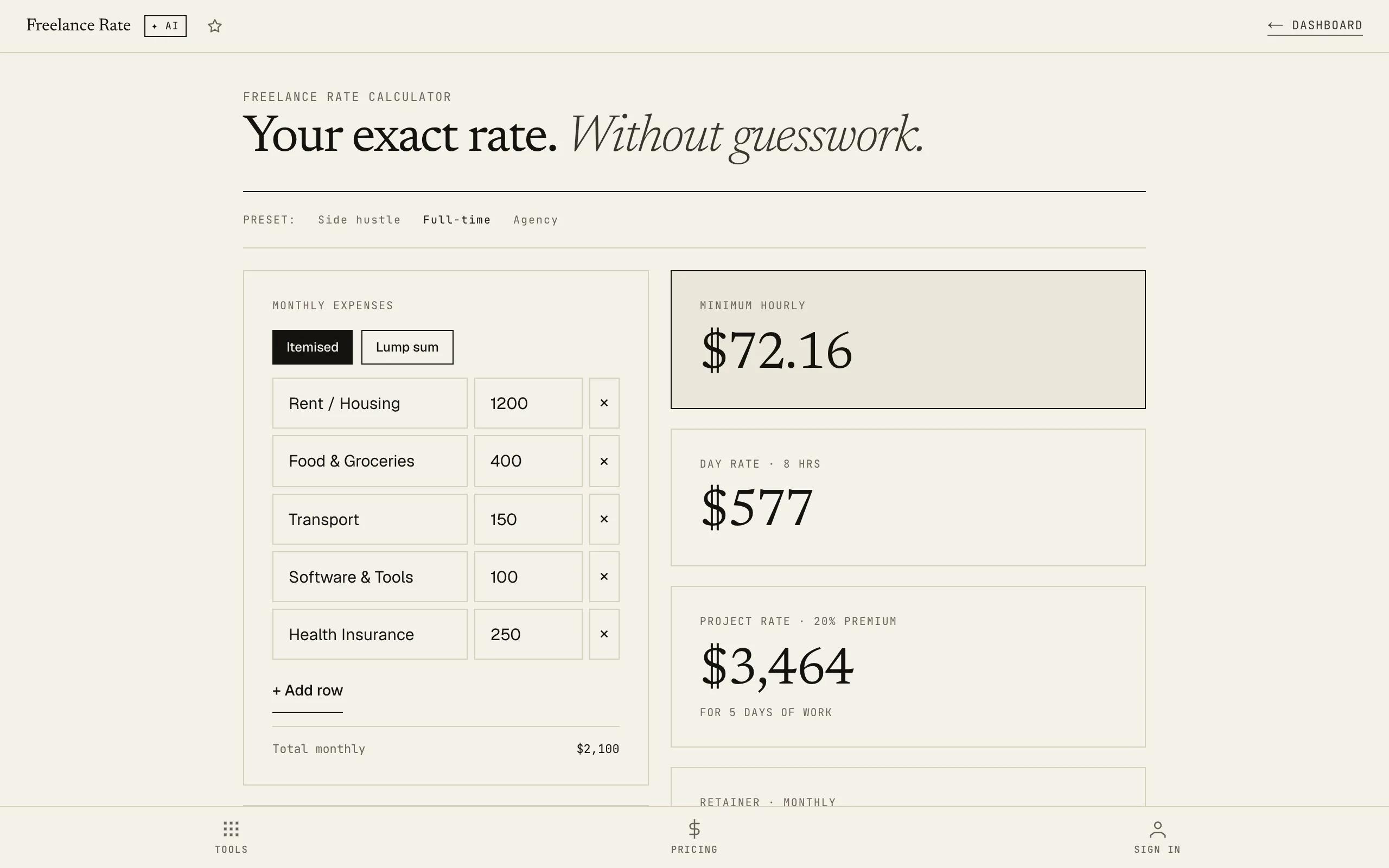
Drop in your numbers. Get three rates back.
Your minimum hourly, day rate, and project rate · ready to quote.
How it works
01Enter your costs and goals
Add your monthly expenses, desired take-home profit, and estimated tax rate. The calculator shows you the revenue you need to generate before showing any rates.
02Set your real availability
Billable hours per week and weeks working per year. Non-billable time is pre-accounted: you see exactly how many billable hours you actually have annually.
03Get your rates
Minimum hourly rate, standard day rate, project rate with a 20% scope buffer, and monthly retainer equivalent: all from your actual numbers, updated live.
Most freelancers set their rate by guessing what clients will accept. That's backwards.
Related tools · these read this one, and this one reads them
Try it yourself · no signup, just play
Use Freelance Rate Calculator right here. No signup, no card.
Like it? Save your work and get the AI Coach.
Sign up freeFrequently asked
What's the difference between minimum rate and day rate?
Your minimum rate is the floor: the number below which you're subsidising the client. Your standard day rate adds a buffer for scope creep, admin overhead, and the fact that not every week is fully booked. The calculator shows both so you know your floor before quoting.
What tax rate should I use?
Use your effective combined tax rate: income tax plus any self-employment or national insurance contributions. If you're unsure, 25–35% is a reasonable starting range for most self-employed people in developed markets. Your accountant can give you the precise figure for your country.
I work part-time freelance alongside a job. Does this still work?
Yes: use the Side Hustle preset and input your actual available hours. The calculator handles any combination of hours and weeks, whether that's 5 hours a week or 40.
How do I know what counts as billable hours?
Billable hours are the hours you can realistically charge a client for. Exclude proposals and pitches, admin and invoicing, professional development, sick days, and holidays. A common rule of thumb is 60–70% of total working hours are billable.
Will my data be saved if I close the browser?
Yes: all inputs save automatically to your browser. Blacknave subscribers also get cross-device sync so your calculations carry across devices.