01 · FITLive✦ AI
Know your finish time before race day.
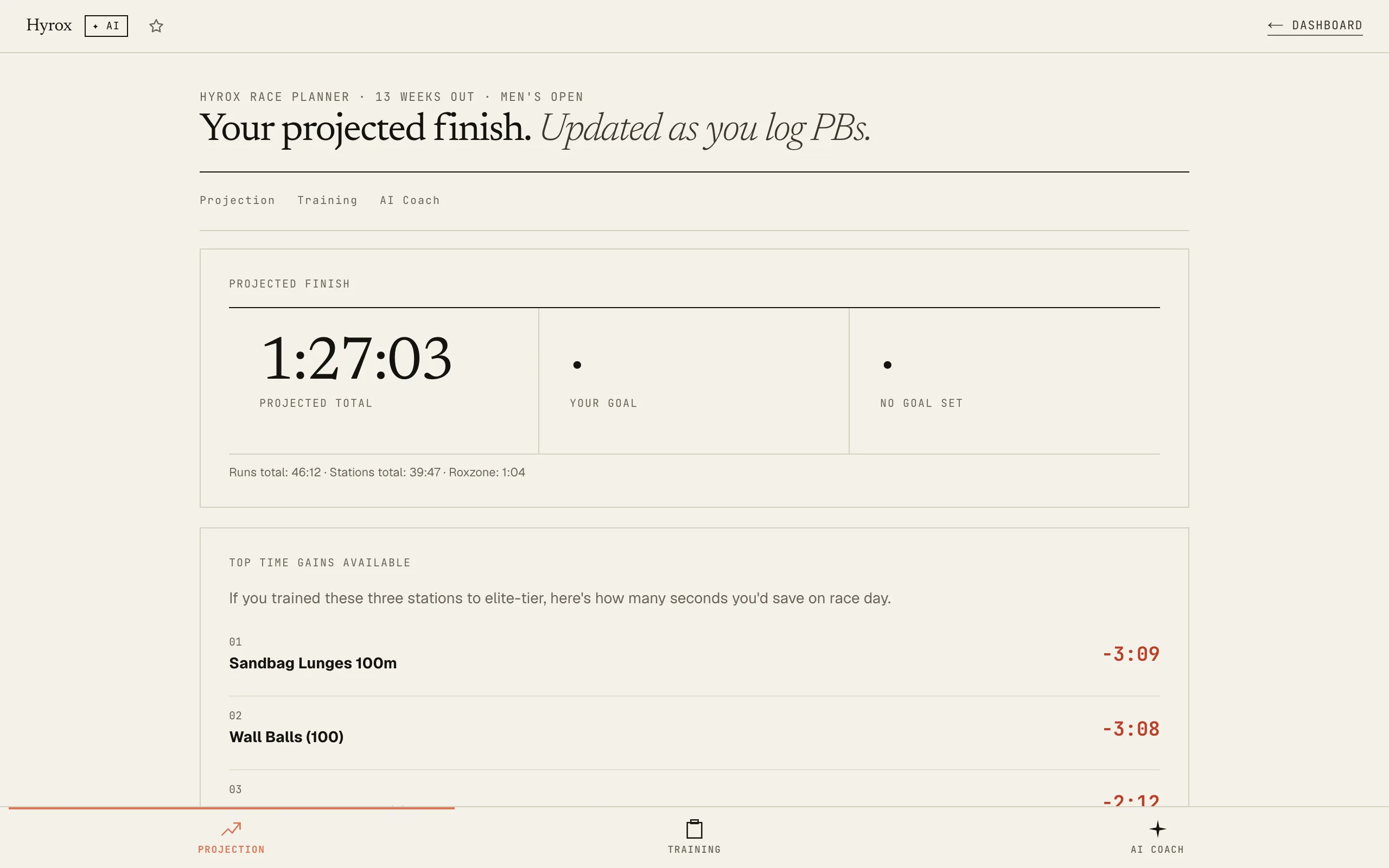
Log your station PBs and run times, and watch your projected race-day finish update in MM:SS.
8 stations and 8 runs projected to the second. 15-week plan included.
Free · Every tool unlocked · No card
Your projected finish, updated as you log PBs.
Per-station gap-to-elite ranked. Top 3 stations costing you the most seconds.
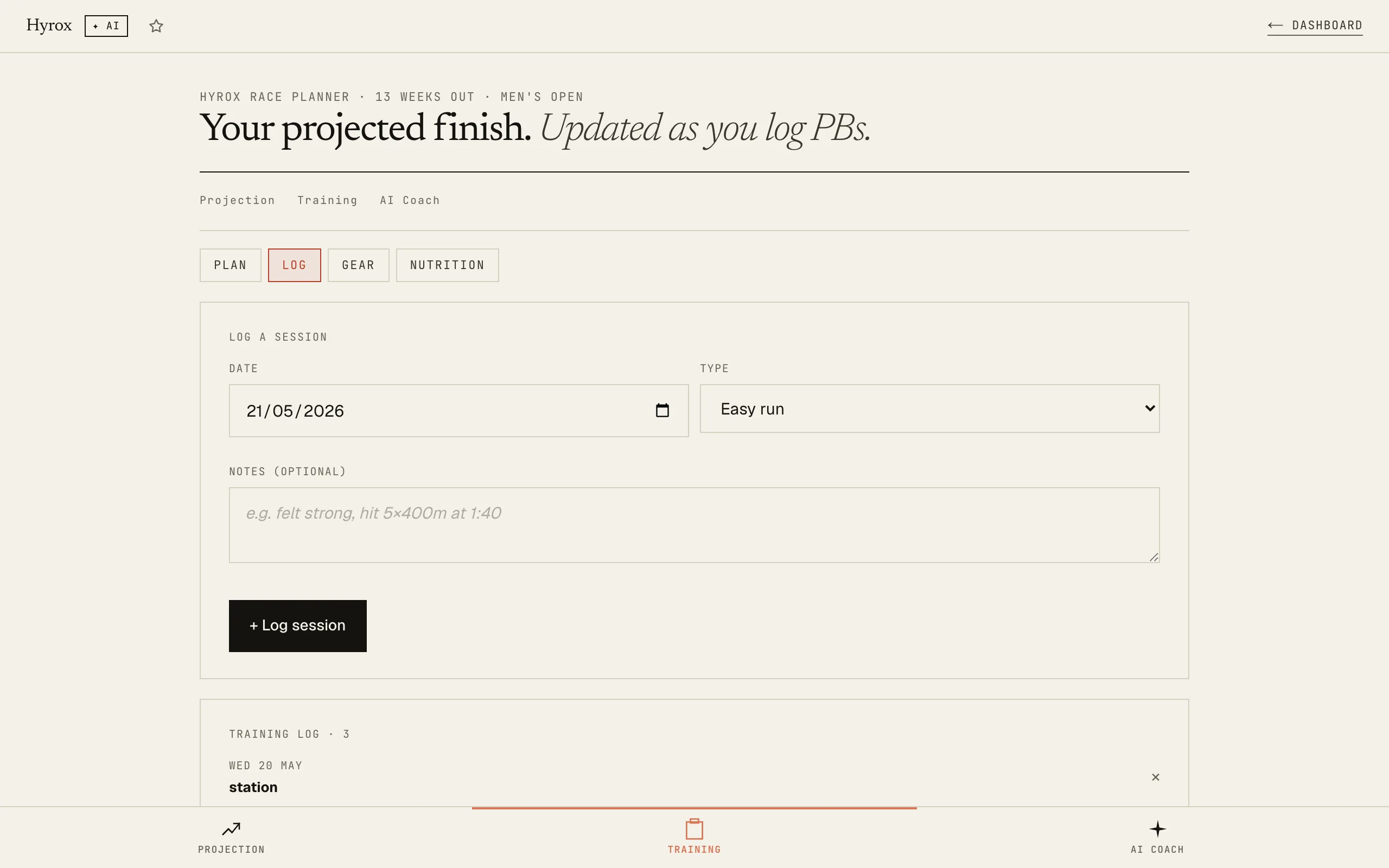
A 15-week plan that adapts to your week-by-week logs.
How it works
01Log your PBs
Tap any station or run distance to enter your best time. The projection engine recomputes your race-day finish instantly. Don't have a PB? Defaults to intermediate-tier numbers so you start with a realistic projection from day one.
02See your finish time
A projected finish in minutes:seconds, with a confidence band (best case / worst case) and a callout against your goal. Top 3 stations costing you the most seconds are auto-ranked so you know exactly what to train.
03Run a guided simulation
When you're ready, the 16-segment workout player walks you through a full Hyrox sim with per-segment timing and roxzone tracking between every transition. Post-session: Time Loss Analysis + auto-detected new PBs.
You train for months without knowing your finish time. Now you watch it move every time you log a PB.
Related tools · these read this one, and this one reads them
Try it yourself · no signup, just play
Use Hyrox Training Planner right here. No signup, no card.
Like it? Save your work and get the AI Coach.
Sign up freeRace-day nutrition
Daily through race morning. No supplement sponsor.
Roughly 1.6 to 2.0 g protein per kg bodyweight. Carbs make up the rest of the calorie budget; fat fills gaps. Hyrox is glycogen-heavy, so don't undercut carbs the way you might in a marathon block.
Hydration target: 35 ml per kg on rest days, more on long-run days. Pee should be clear-to-straw.
Frequently asked
What can the AI race coach actually do?
Four named actions. (1) Train today: reads your week's prescribed plan + recent log + your timezone, names today's exact session. (2) Race reality check: brutal verdict on projected finish vs goal, names the single biggest risk + a 4-week fix. (3) Where you lose time: ranks your weakest station or run pace by gain-to-elite, prescribes the specific 2x-weekly intervention with sets, reps, weight, and format. (4) Race-day pacing: target splits for Run 1, 4, 8, sled segment strategy, and the 3 race-day mistakes to avoid based on your decay profile. Every answer reads your actual PBs, projection, decay, and recent training log.
What's Compromised Pace and why does it matter more than my fresh 1km?
Compromised Pace is your average 1km pace across all 8 runs in a full Hyrox sim · i.e. the pace you actually run when you're already cooked from the stations. Fresh 1km pace doesn't predict Hyrox finish time; compromised pace does. Elite Hyrox athletes only drop 8 to 12% between fresh and compromised. Mid-pack drops 25 to 35%. The card shows fresh, compromised, and the drop %, computed from your guided simulation history. Lower drop = faster race day, regardless of how fast your fresh 1km is.
Can I import my watch workout instead of running the guided sim in the app?
Yes, if you can export a .tcx file. On the Projection tab, tap "Upload .tcx workout" · the parser reads your laps, pre-assigns them in standard Hyrox order (run → ski → run → sled push → …), and lets you adjust any mapping that looks off. Saves as a guided session, auto-detects new PBs, feeds straight into the Compromised Pace + Decay computations. Export instructions: Garmin Connect (workout → settings → export TCX), Apple Health (browse → workouts → share → TCX, may need a free shortcut), Polar Flow (workout → export → TCX), Strava (paid). .fit and .gpx support coming. Reality check: this works best when you tapped Lap on your watch at every station boundary · without those laps the file has no segment structure.
How do I read the Station-Run Decay table?
For each station in your guided sims, we measure the pace of the run that comes right after it, then average that pace across every time you've done that station. The drop % shown is how much slower that post-station run is vs your fresh 1km pace. The table is sorted worst-first so you immediately see which transition costs you the most. If sled push drops you 18% but ski erg only 4%, that tells you exactly which station-to-run transition to train this week. The AI Coach reads this too and prescribes the work.
How does the race-time projection actually work?
It computes: 8 runs × (your 1km pace with a fade coefficient applied across runs) + 8 stations × (your PB time × a position fatigue multiplier · station 8 wall balls is 25% slower than fresh, station 1 ski is at full PB) + 8 roxzone transitions × 8s each. If you haven't logged a PB for a station, an intermediate-tier default is used so you still get a realistic number. Every time you log or update a PB, the projection recomputes instantly.
What's the guided simulation?
A full-screen workout player that walks you through all 16 segments of a Hyrox race (8 runs + 8 stations) with live per-segment timing. Tap Start to begin a segment, tap Done when you finish. The app captures the time, then starts a roxzone (transition) timer for the gap before your next segment. End of session: you see a Time Loss Analysis with runs/stations/roxzone breakdown, segment-by-segment splits, and any auto-detected new PBs.
Why does the app track roxzone separately?
Roxzone is the cumulative time spent between segments · walking from a station to the run track, putting equipment down, catching your breath. Most athletes spend 1 to 2 minutes total in roxzone across a race, and most apps lump it into "station time" so you can't see where it goes. We track it as a first-class entity because shaving 4 seconds off each of 8 transitions = 32 seconds saved, which is bigger than most single-station gains.
Will my training data be saved if I close the browser?
Yes. Everything saves automatically to your browser's local storage. Close the tab, come back the next day: your plan, logged times, PBs, guided sessions, and settings are all still there. If you subscribe, your progress also syncs across devices.
Do I need to install anything?
No separate app needed. The tool runs directly in any browser: Chrome, Safari, Firefox, Edge. Works on your phone, tablet, or laptop.
I only have 8 weeks until my race. Does the plan still work?
Yes. The planner detects your race date and compresses the phases accordingly. It will prioritise the Build and Peak phases and give you the most useful preparation possible in your timeframe.
I'm in Men's Open. Are the station weights for MY division?
Yes. You select your division in the 6-question setup and all station weights, rep targets, and time benchmarks are set automatically. Men's Open, Women's Open, Men's Pro, and Women's Pro are all supported.
I run and do gym but I've never done Hyrox before. Is this too advanced?
Not at all. The plan has a Base Phase specifically designed to build aerobic foundation while learning station technique. You can also select "Beginner" fitness level in the setup to get an appropriate training load.
Is there a refund policy?
Subscriptions can be cancelled anytime from your account page: access continues until the end of the billing period. If something is broken, message us and we'll fix it within 24 hours.