09 · FINLive✦ AI
Stop paying for things you forgot about.
Add every bill and subscription once. See monthly and annual totals by category, get auto-flagged on unused subscriptions, and get an AI brief on your biggest waste and what to cut first.
Audit mode · AI cut list · Annual savings calc
Free · Every tool unlocked · No card
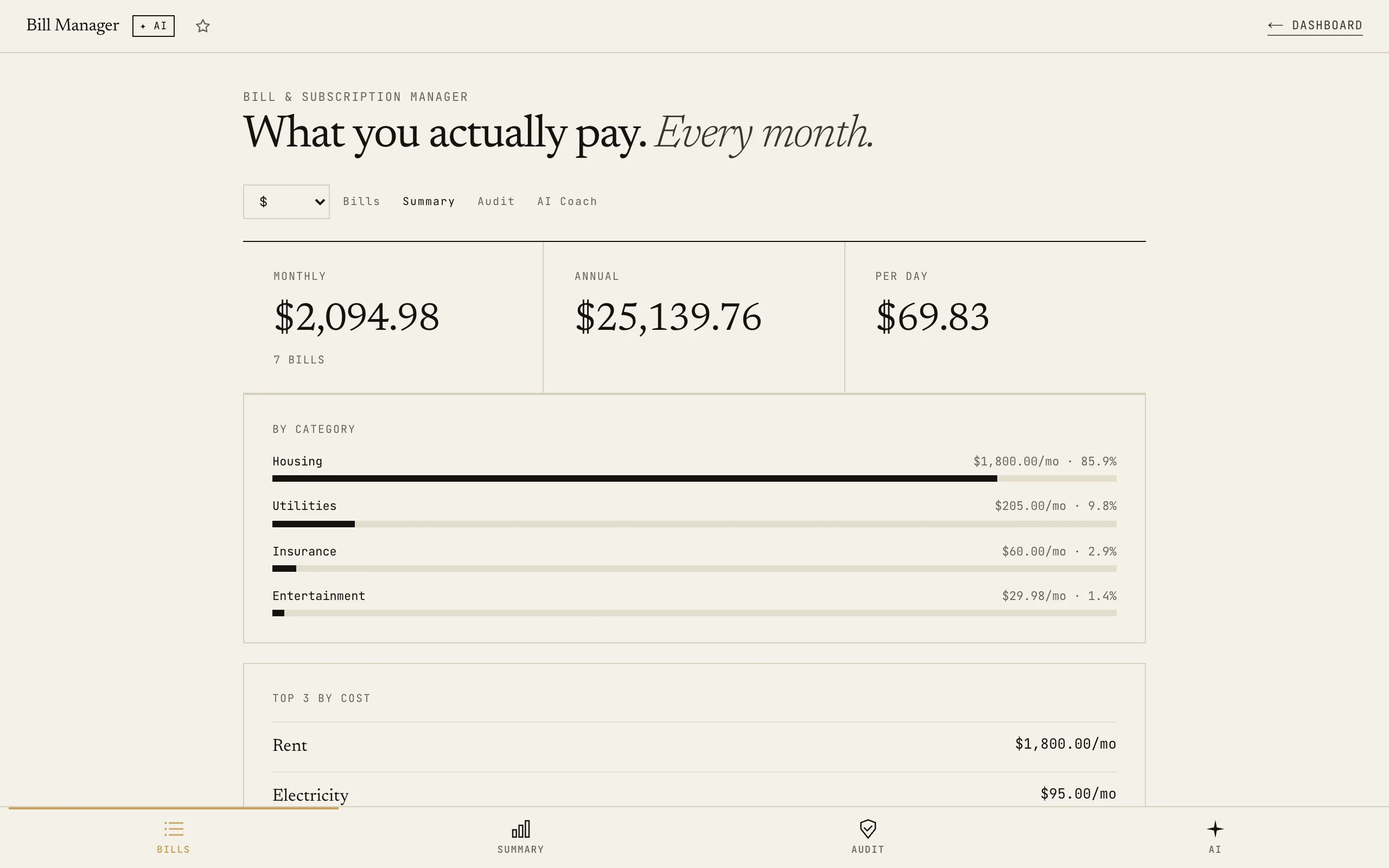
Every recurring bill, in one place.
Add once. Monthly + annual totals are calculated automatically.
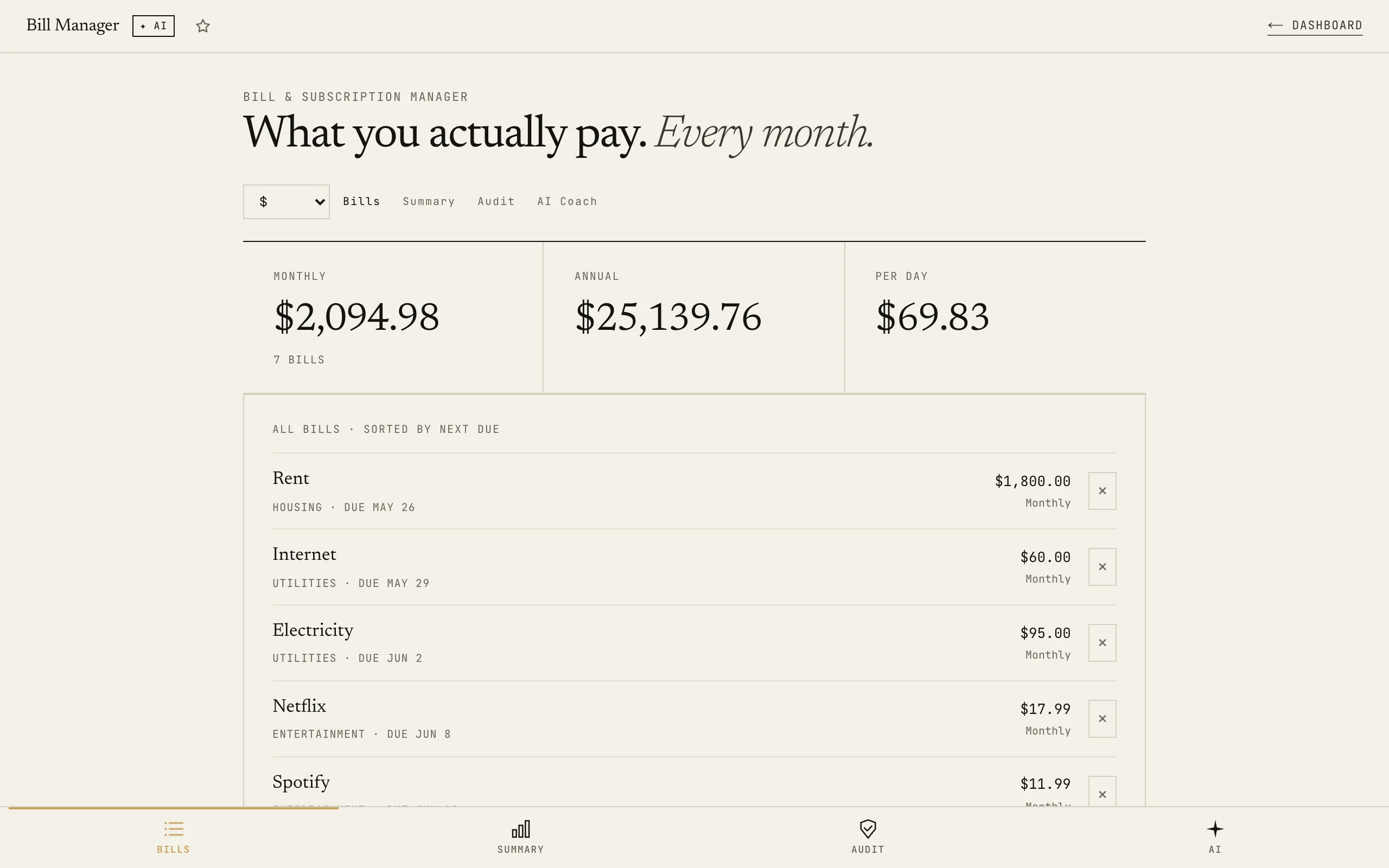
Monthly + annual totals by category.
How it works
01Add every bill once
Name, amount, billing frequency (monthly, quarterly, annual, weekly), category, and last-used date. Everything normalises to monthly equivalent automatically.
02See your real total and flags
Monthly and annual totals update instantly. Audit tab auto-flags unused subscriptions (30+ days), high-cost concentrations, and annual bills with monthly-billing savings.
03Get an AI cut list
AI Coach reads your full bill list and returns 4 sections: biggest waste, what to cancel today, what to negotiate down, and estimated total savings opportunity.
Most people have 4–6 subscriptions they've forgotten about. This tool finds them automatically: by flagging any bill you haven't used in 30+ days.
Related tools · these read this one, and this one reads them
06 · FIN
Net Worth + FIRE Planner
Know your number, when you hit it, what changes if you save more, when you can coast, and whether debt comes first. 4 AI actions, one snapshot.
Open →Try it yourself · no signup, just play
Use Bill & Subscription Manager right here. No signup, no card.
Like it? Save your work and get the AI Coach.
Sign up freeFrequently asked
Do I need to connect my bank account?
No: and that's the point. You add bills manually once. No bank linking, no transaction scraping, no third-party access. Your financial data stays on your device.
How does the "last used" date work?
When you add a subscription, you optionally enter when you last used it. The Audit tab flags anything older than 30 days as unused. Update it whenever you use the service: so the flag stays accurate.
How does it handle annual subscriptions?
Annual bills are divided by 12 to get the monthly equivalent. This lets you compare a $120/year service against a $10/month service on a level playing field. The Audit tab also flags annual bills where switching to monthly billing would save money.
Will my bills be saved?
Yes: all bills save automatically to your browser's localStorage. Blacknave subscribers get cross-device sync so your bill list carries across devices.
What does the AI actually look at?
The AI reads your complete bill list: name, category, monthly equivalent, annual cost, and last-used date. It returns a 4-section brief covering your biggest waste, what to cancel today, what to negotiate down, and the total savings opportunity if you acted on its suggestions.